
Schema Management

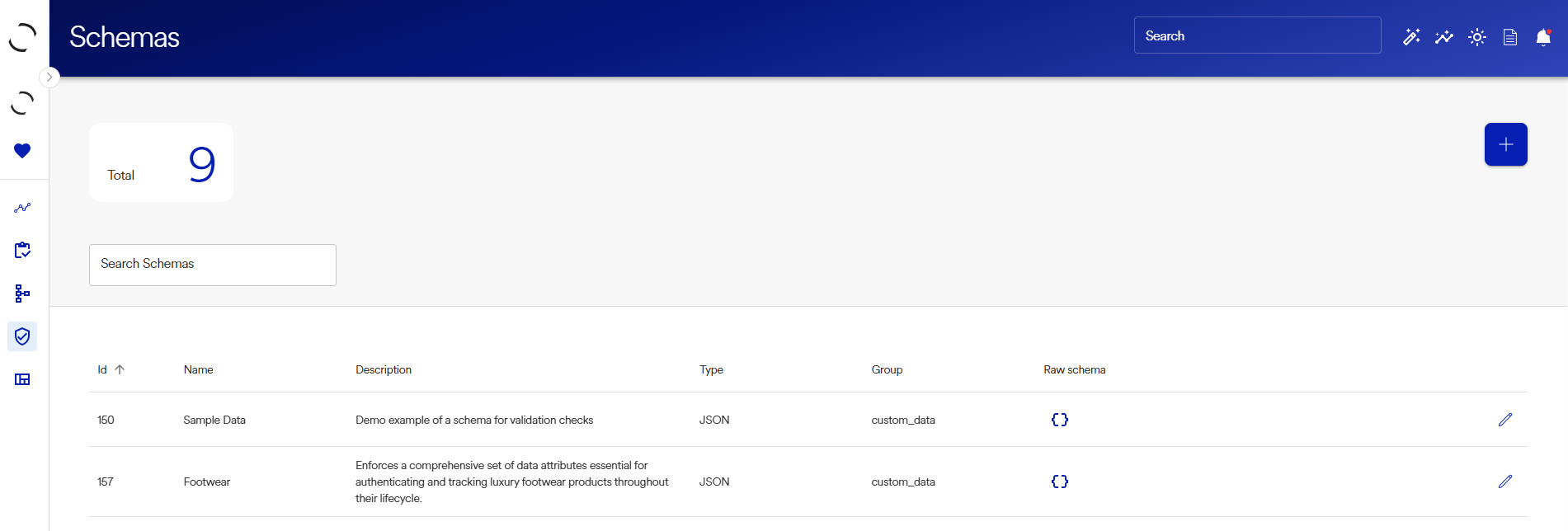
Schemas
Schemas define the shape, structure, and validation rules for data stored in the platform.
Overview
A Schema is a managed entity that wraps a standard JSON Schema definition, enriched with:
- A name and description
- A category (
field_group) - System vs custom designation
- A reusable identifier
Once created, other entities (products, materials, facilities, custom data, etc.) can:
- Reference a schema
- Store data that must conform to that schema
Key Concepts
What is a Schema?
A Schema is:
- A JSON Schema definition
- Stored as a first-class business object
- Referenced by other entities to validate and structure their data
Why Schemas Matter
Schemas allow you to:
- Enforce consistent data shapes
- Validate data automatically
- Reuse definitions across multiple entities
- Evolve data models safely over time
Typical use cases include:
- Custom product attributes
- Certification metadata
- Regulatory or compliance data
Creating a Schema (UI)
Step 1: Navigate to Schemas
Go to Schemas → New Schema.
Step 2: Basic Information
| Field | Description |
|---|---|
| Name | Human-readable schema name (max 255 chars) |
| Group | Category for organizing schemas (field group) |
| Description | Optional explanation of the schema’s purpose |
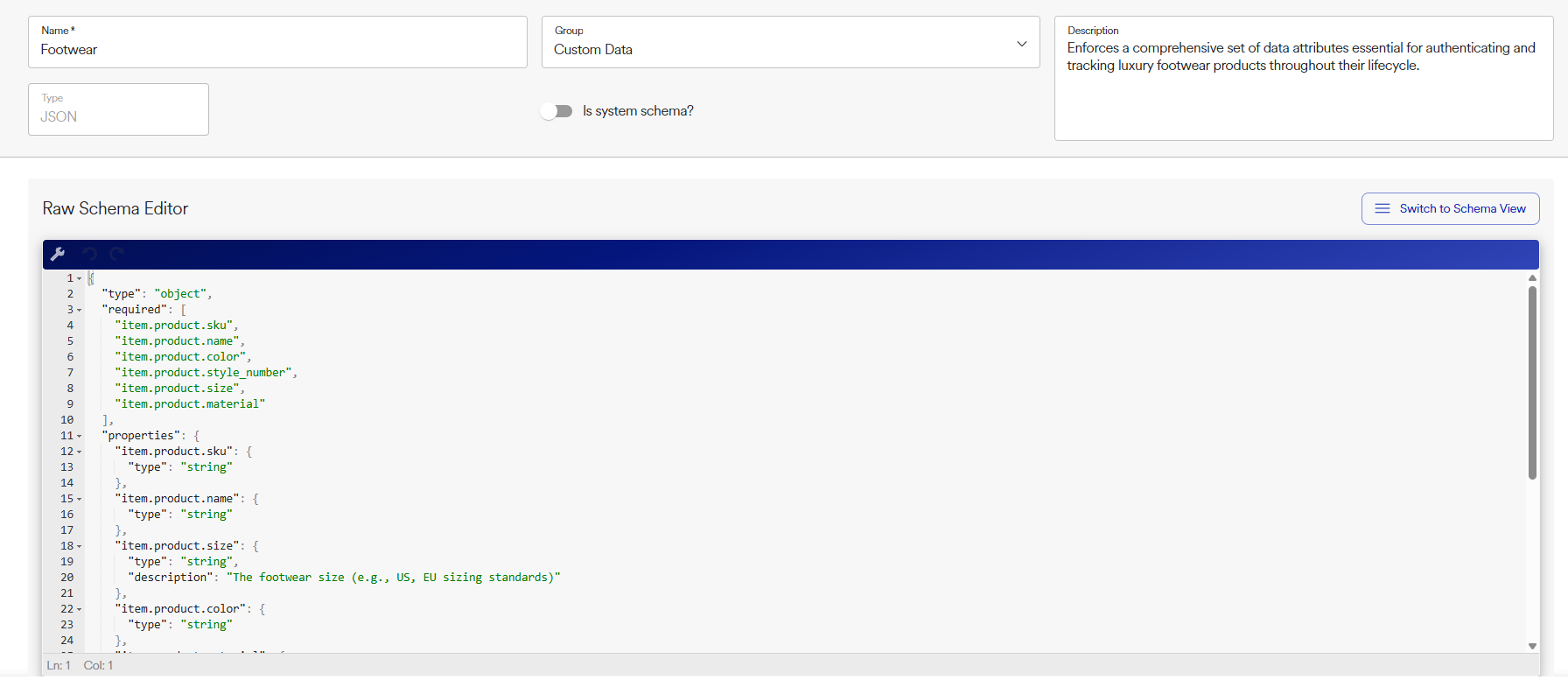
Step 3: Define the Schema (Raw Schema Editor)
In the Raw Schema Editor, enter a valid JSON Schema definition.
Example:
{
  "type": "object",
  "properties": {
    "custom_data": {
      "type": "object",
      "properties": {
        "custom_ean": { "type": "string" },
        "custom_gender": { "type": "string" },
        "custom_cx_type": { "type": "string" },
        "custom_category": { "type": "string" },
        "dms_status_sync": { "type": "string" },
        "custom_sales_line": { "type": "string" },
        "custom_fabric_code": { "type": "string" },
        "custom_care_generic": { "type": "string" },
        "custom_color_code_1": { "type": "string" },
        "custom_model_fabric": { "type": "string" },
        "custom_model_fabric_code": { "type": "string" }
      }
    }
  }
}Step 4: Save the Schema
Click Save to create the schema.
Once saved:
- The schema is assigned a unique ID
- It becomes available for reference by other entities
- Validation is enforced wherever the schema is used
System vs Custom Schemas
| Type | Description |
|---|---|
| System Schema | Managed by the platform; typically read-only |
| Custom Schema | Created and managed by your organization |
is_system_schema flag indicates whether the schema is platform-defined.
Field Groups
Schemas are organized using field groups, which act as logical categories.
Examples:
- Material Structured Data
- Facility Structured Data
You can retrieve available field groups via API.
How Schemas Are Used by Other Entities
Other entities can:
- Reference a schema
- Attach data
- Have that data validated against the schema
Example flow:
- Create a Schema called MaterialComposition
- Assign it to a Product
- Store structured material data
- Automatically enforce validation rules
API Reference Summary
Create Schema
POST /api/v2/schemas/
{
  "name": "Material Composition",
  "description": "Defines material breakdown",
  "type": "JSON",
  "field_group": "custom_data",
  "is_system_schema": false,
  "raw_schema": {
    "type": "object",
    "properties": {
      "material": { "type": "string" },
      "percentage": { "type": "number" }
    },
    "required": ["material", "percentage"]
  }
}
Retrieve Field Group Options
GET /api/v2/schemas/field-groups/
Returns available schema categories.
Retrieve a System Schema
GET /api/v2/schemas/system/id/{id}/
List System Schemas
GET /api/internal/core/schemas/system/
Validation Behavior
When data is associated with a schema:
- Validation occurs automatically
- Required fields must be present
- Type constraints are enforced
- Invalid data is rejected

